You don't want to watch session recordings.Understand how customers behave on your site.
ClickContext is the Shopify MCP server for behavioral data. Ask your AI why customers aren't buying.
Install from Shopify.
One click in your Shopify admin. A lightweight script (under 20 KB) starts capturing behavior automatically. No tagging, no setup, no speed impact.
Data flows on its own.
Clicks, scrolls, funnels, products, revenue — every event gets e-commerce context and structure. You do nothing.
Connect via MCP.
Data is accessible through an MCP server — one-click connection. Plug in Claude, ChatGPT, or any MCP-compatible client.
This is what it looks like when your AI actually understands your store.
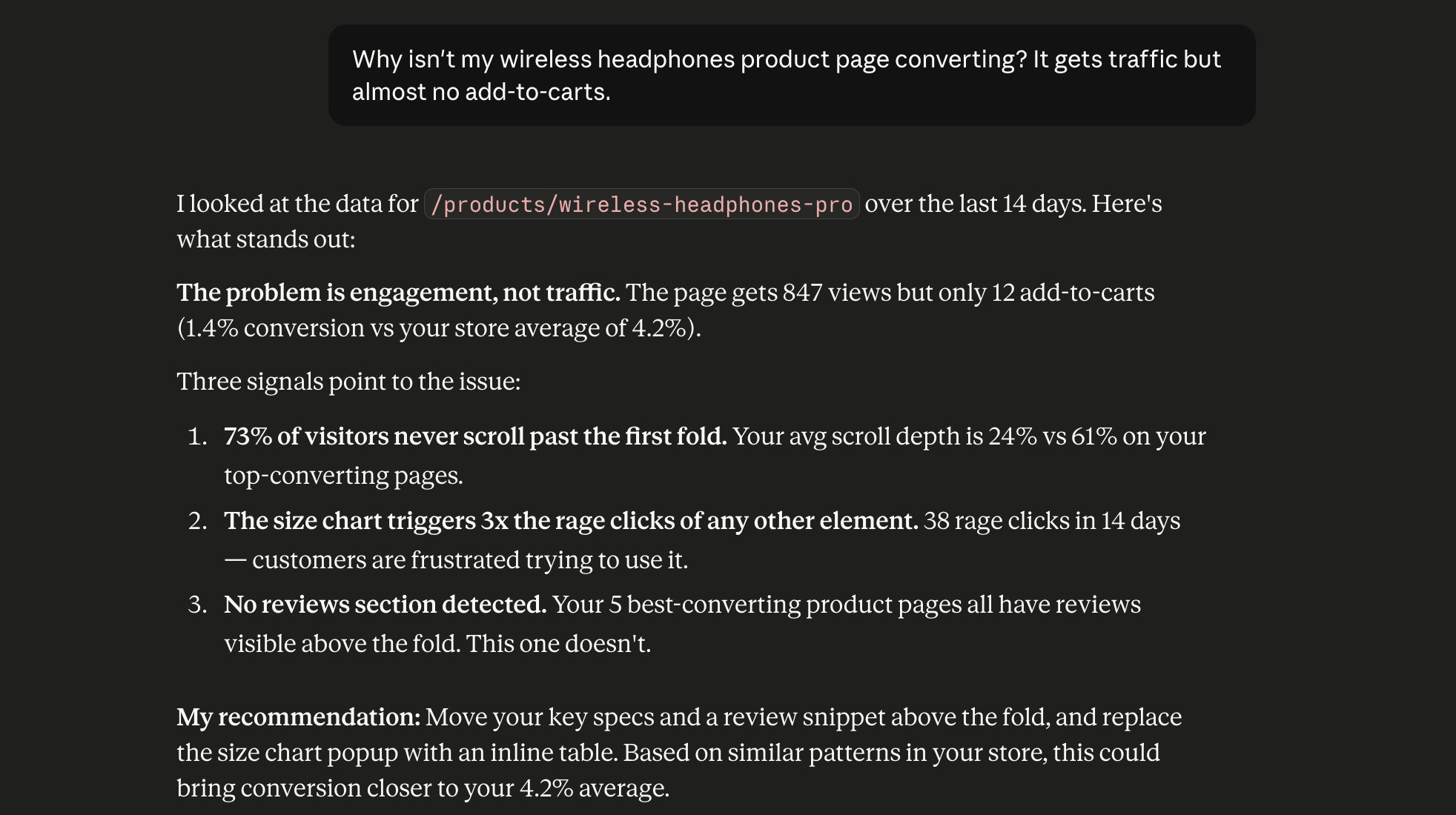
Based on real Click Context data from a beta store. Every insight grounded in actual customer behavior — no hallucinations, no guesswork.
Hotjar and Clarity show you what happened. Click Context tells your AI why. See the full comparison →
Every click, scroll, and purchase intent — structured so AI understands your store like you do.
No more endless heatmaps and recordings nobody watches. Collect your behavioral data in the structure and context AI understands.
Not a mockup — the panel is your own live session, the exact structured signal your AI would receive. Move, click, scroll and watch it read you.
Compared to video recording tools like Hotjar or Clarity, I actually prefer the way Click Context presents the data. The information is structured, which makes it much easier to understand what is happening and ask AI for insights. Instead of watching recordings one by one and trying to spot patterns manually, this helps surface where customers might be getting stuck and why they are not buying. Simple idea, but very useful for ecommerce.
I've tried the usual session recording and heatmap apps, but watching recordings one by one rarely tells you much. Click Context structures the data so you can see what's happening and ask AI for insights on top of it. That makes it far quicker to find where customers get stuck and why they don't buy.
A must have for every store!! Very useful, super fast way to dive deep into the data that otherwise would take days to analyze. Very happy and for sure will get more out of it the more I use it!
Super simple to set up, easy to use
Get a free audit of your store.
Pick a time and we'll walk through what your behavioral data reveals — live, on your store.
Stop guessing. Start asking.
Install in minutes. Your AI gets real answers about your store from day one.
Install on Shopifyor get product updates by email